MapQuest: Get Directions10.27.0
Publisher Description
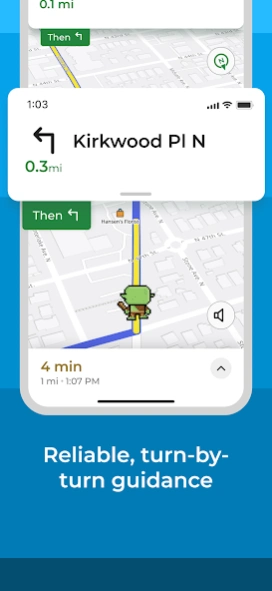


MapQuest is your go-to app for maps, GPS, voice navigation & live traffic.
Get where you need to go with the MapQuest turn-by-turn GPS Navigation app. Whether it’s using voice navigation for walking or driving directions or exploring points of interests on the map, MapQuest has the tools you need to navigate the United States and Canada.
Map and Navigation Features:
• Up-to-date satellite imagery and maps
• Turn-by-turn voice navigation for walking and driving directions
• Real-time traffic updates to help you find the fastest ways to your destination
• Optimized routing to help save you time, gas and money
• A speedometer so you can compare your current speed to the speed limit along your route
• Favorites so you can store locations, like your home and work addresses, for quick-and-easy maps and directions
• Alternate route choices so you have multiple options to get where you need to go
• Route settings that help you avoid things like highways and toll roads
• Multipoint routes so you can include more than just one stop
• Planning: create routes starting from somewhere other than your current location
Do More than Get Directions:
• Search and explore nearby points of interests like restaurants, bars, gas stations and hotels, with our layers bar
• Find great hotel deals and book them through MapQuest
• Feed your inner foodie and discover new places to eat: browse menus, make reservations and order food through OpenTable and GrubHub points of interest
• Save money by comparing prices of nearby gas stations
• View local weather so you can plan ahead
• Car broken down? Directly access on-demand roadside assistance for help
• Get directions on-the-go with our corresponding Android Watch app
Please Note: Continued use of GPS running in the background can dramatically decrease battery life.
About MapQuest: Get Directions
The company that develops MapQuest: Get Directions is MapQuest. The latest version released by its developer is 10.27.0. This app was rated by 4 users of our site and has an average rating of 2.5.
To install MapQuest: Get Directions on your Android device, just click the green Continue To App button above to start the installation process. The app is listed on our website since 2026-10-09 and was downloaded 5,195 times. We have already checked if the download link is safe, however for your own protection we recommend that you scan the downloaded app with your antivirus. Your antivirus may detect the MapQuest: Get Directions as malware as malware if the download link to com.mapquest.android.ace is broken.
How to install MapQuest: Get Directions on your Android device:
- Click on the Continue To App button on our website. This will redirect you to Google Play.
- Once the MapQuest: Get Directions is shown in the Google Play listing of your Android device, you can start its download and installation. Tap on the Install button located below the search bar and to the right of the app icon.
- A pop-up window with the permissions required by MapQuest: Get Directions will be shown. Click on Accept to continue the process.
- MapQuest: Get Directions will be downloaded onto your device, displaying a progress. Once the download completes, the installation will start and you'll get a notification after the installation is finished.
Version History
version 10.27.0
posted on 2026-10-09
What’s New, by Popular Request
- Incident Alerts on Android Auto: See reports along your route while you navigate!
- Find Your Next Stop: Search for coffee, food, gas, and more when planning your route.
- More Helpful Search: Find places by category.
- Clearer Trip Planning: Updated route settings and “Leave by” times for planned arrivals.
- Simpler Android Auto Controls: Easier access to search, map controls, and trip actions.
Keep the feedback coming. We’re listening!
version 10.26.0
posted on 2026-10-02
• Plan Trips Around Your Schedule ⏰ Choose Leave At or Arrive By, and MapQuest will build a route for that time.
Keep telling us what you need. We’re listening!
version 10.25.0
posted on 2026-09-25
Voice Search is now on Android Auto do you can search hands-free while driving!
Also in this update:
• Saving Your Battery: you have more battery left for your route.
• More Accurate Search: Suggestions now keep up with what you type (we are continuing to make this better we promise).
• Clearer Car Maps: Smaller stop signs and traffic lights make your route easier to see.
• More Navigation Voices
More improvements are already on the way. Thanks for helping us shape MapQuest!
version 10.24.0
posted on 2026-09-18
What’s New, by Popular Request
• Report incidents from Android Auto
• Find EV chargers
• See which way you’re facing with the new direction cone
• Voice Search on Android Auto
• Reduced background activity to save battery
• Search your contacts
• More reliable Android Auto and navigation
• Satellite View and Traffic Layers
Keep the feedback coming. We’re listening and moving quickly!
version 10.22.0
posted on 2026-09-11
Transit Beta is here! 🚌
You asked. We listened. Plan trips using buses, trains, subways, and walking, We’re continuing to build toward real-time updates and follow along transit guidance.
Also by popular request:
• New Questies! Corgi & Black Cat
• Questies on Android Auto
• French and Spanish Support
• Place Feedback Button
• Android Auto audio improvements
• Bug Fixes and Usability Improvements
Keep the feedback coming. We’re listening and moving quickly!
version 10.21.0
posted on 2026-09-03
Saved places got easier. New edit buttons let you update or delete Home, Work, and any other saved place in a few taps.
Also new:
• Map labels now scale with your device's text size setting, so the map is easier to read for everyone.
• The "End" button now sits right at the top during navigation, so it's always there when you need it.
We're shipping as fast as we can and reading every piece of feedback you send. Keep it coming!! The next update is already in the works and landing very soon.
version 10.17.0
posted on 2026-08-03
• Red light and speed camera warnings during navigation
• Long road names in maneuver banners now auto-shrink to fit
• Search bar expands only when tapped
• CarPlay zoom and pitch improvements
• Bug fixes and performance improvements
version 10.18.0
posted on 2026-08-03
Smoother navigation and reliability improvements throughout the app.
version 10.16.1
posted on 2026-06-23
Smoother Voice Navigation: Try our new, more natural-sounding voice for a better guidance experience. Let us know what you think!
version 10.16.0
posted on 2026-04-27
• More Stops, More Flexibility: Plan bigger trips with support for up to 26 stops on a single route.
• Better Navigation Clarity: See alternate road names and improved navigation header details while driving.
• Improved CarPlay Experience: Added traffic lights and usability enhancements for smoother in-car navigation.
• Smoother Directions: Improved layout and interactions when starting and managing routes.
• Bug Fixes & Improvements
